Explainers
Do you know the difference between a workflow and an agent?
If you hand an agent a task that always follows the same steps, you pay for a loop of calls you could have written yourself, and you only see the bill at the end: I explain what separates a workflow from an agent, what the difference costs, and the rule for choosing before you write a single line of code
Danilo Giudice · October 26, 2026
- Type
- Explainer: from zero, with numbers and sources
- Time
- 8 min read
- Level
- Beginner
- What you’ll get
- When you need an agent and when a workflow is enough
- What an agent really costs
- A rule for choosing before you write code
Contents · 5 sections
Has this ever happened to you? You need something simple, like summarizing the week’s emails, and since everything is an agent these days, you set one up. It works. Then the bill arrives. And the day the same task takes a different path, you don’t even know which step to look at.
It’s not bad luck. According to Anthropic, an agent uses about 4 times the tokens of a chat, and a system with several agents uses about 15 times as many (tokens are the chunks of text the model receives and generates, and they are also the unit you pay for). And if each step succeeds 95% of the time, twenty steps in a row succeed 36% of the time.
The spoiler: if you make it to the end, you take home a single question that tells you whether you need a workflow or an agent before you write a line of code: “What do you know before you start?” You also get the five steps I use to apply it.
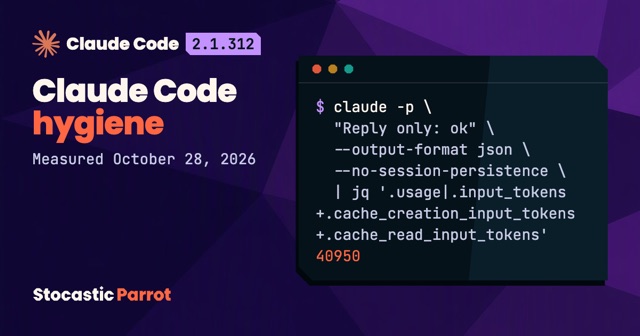
I’m biased, and I’ll say so up front: I work with agents every day. In the week I measured for my article on Claude Code hygiene, 23,401 requests out of 29,554 came from subagents, the secondary agents that Claude Code launches with a context of their own. And yet my thesis goes against what I like: if I can write the steps down, I write them in code, and the agent comes in only where you can’t know the number of steps in advance.
Who controls the flow
Let’s start with a basic fact: a language model, or LLM, receives text and generates the text that comes next, one token at a time. On its own, it doesn’t open files and doesn’t search the web.
To do anything outside the chat, it needs tools: functions that someone wrote, like “search the web” or “read this file.” The model generates a request to use one, with its parameters. The program around the model is what actually runs it, and that program is called the harness. Claude Code, for example, is a harness.
In December 2024, Erik Schluntz and Barry Zhang of Anthropic published “Building effective agents”, which draws a sharp line between two architectures:
Workflows are systems where LLMs and tools are orchestrated through predefined code paths. Agents, on the other hand, are systems where LLMs dynamically direct their own processes and tool usage, maintaining control over how they accomplish tasks.
In my own words: in a workflow, you write the sequence of steps yourself, in code, before you start. In an agent, the model generates it, one turn at a time, as it works. Only one thing changes: who controls the flow.
A workflow is a train: it only goes where someone has laid the tracks, and the tracks are laid before departure. An agent is a car: it picks a direction at every intersection, and the model is behind the wheel.
The workflow: the path lives in the code
Take the task from before, summarizing the week’s emails. A workflow does it like this:
- a first call to the model extracts the key points;
- a check in the code verifies that the output has the expected format, with an
ifand nothing more; - a second call writes the summary;
- the script saves the document.
Anthropic calls this prompt chaining (the prompt is the text you send to the model), and it calls the check in the middle a gate, a checkpoint that only lets good output through. The point is that the number and order of the calls are fixed: two calls to the model, always the same ones, always in the same order. You can estimate the cost before you start, and when something breaks, you know which step to look at.
Workflow
Workflow: the path lives in the code
Prompt chaining: LLM calls in sequence, checks in your code.
- 1
Input
The week’s emails
- 2
LLM: extract
Prompt 1: the key points
- 3
Gate in code
Check: if format ok
- 4
LLM: write
Prompt 2: the summary
- 5
Output
The saved document
Source: Anthropic, Building effective agents

Workflow: the path lives in the code. Prompt chaining: LLM calls in sequence, checks in your code. 1. Input: The week’s emails; 2. LLM: extract: Prompt 1: the key points; 3. Gate in code: Check: if format ok; 4. LLM: write: Prompt 2: the summary; 5. Output: The saved document. Source: Anthropic, Building effective agents.
The chain isn’t the only pattern. Anthropic lists five:
- prompt chaining, for tasks that break down into fixed steps;
- routing: a first call classifies the request and sends it down the right path;
- parallelization: several calls work at the same time and the code collects the results;
- orchestrator-workers: a central LLM breaks the task down, hands the pieces to other LLMs, and combines the results;
- evaluator-optimizer: one call generates, another evaluates and sends back its critique, in a loop.
The last two already have some freedom, but who calls whom is still written in the code.
The agent: the model generates the path
Let’s get to the point: what does an agent actually do? Anthropic answers in one line: agents are “typically just LLMs using tools based on environmental feedback in a loop.”
The loop, as Claude’s documentation describes it, is simpler than it sounds:
- the harness sends the request to the model, along with the tool definitions;
- the model generates a request for a tool, with the parameters;
- the harness runs the tool and sends everything back: the conversation so far, the model’s response, and the result;
- the loop starts again from step 2, until the model generates the final answer (in the API, the signal is
end_turn) or the round limit is reached, if whoever wrote the harness set one.
Agent
Agent: the model generates the path
Runs until the model returns end_turn or the round limit is reached.
LLM
Web searchpages
Codeoutput
Filescontents
Databaserows
Source: Claude Docs, Tool use
Agent: the model generates the path. Runs until the model returns end_turn or the round limit is reached. At the center, LLM in a loop: calls, runs, returns, and back to the start. The tools: Web search (pages), Code (output), Files (contents), Database (rows). Source: Claude Docs, Tool use.
Two consequences follow from this, and they are the heart of the difference.
First: you don’t know in advance how many rounds it will take. You find out at the end.
Second: you pay for every round in full. The model keeps nothing between one request and the next (I wrote about this in my article on auto-compaction), so the harness sends the whole conversation again in every round. More rounds mean more context, and more context means more tokens.
What freedom costs
People who prefer agents raise a serious objection: a workflow breaks on the first case you didn’t plan for, while an agent adapts.
There’s some truth to that, and Anthropic says so itself. Agents are for open-ended problems, the ones where “it’s difficult or impossible to predict the required number of steps.” And more tokens do buy better results. In the report on its research system (June 2025), Anthropic looked at BrowseComp, an OpenAI test with 1,266 hard questions. There, token usage alone explains 80% of the variance in performance, that is, of how much the results change from one run to the next. So far, so good.
The problem is the bill: about 4 times the tokens of a chat for one agent, and about 15 times for a system with several agents.
Cost
Agent: 4× the tokens of a chat
Anthropic’s estimates for its own research systems, June 2025.
On BrowseComp, tokens explain 80% of the variance
Source: Anthropic, June 2025
Agent: 4× the tokens of a chat. Anthropic’s estimates for its own research systems, June 2025. Chat 1×, Agent 4×, 2+ agents 15×. On BrowseComp, tokens explain 80% of the variance. Source: Anthropic, June 2025.
I’ll be honest: the comparison is between an agent and a chat, not between an agent and a workflow, and these are Anthropic’s estimates for its own systems. But a workflow with two calls costs two calls, and you know that before you start. An agent costs as many rounds as it ends up needing, and you find out at the end.
Then there are the errors. Anthropic writes that in agents, errors compound: one failed step can send the agent down an entirely different path. Anyone can do the math: with a 95% success rate per step, two steps in a row succeed 90% of the time, and twenty steps succeed 36% of the time, which is 0.95 to the power of 20.
Compound errors
At 95% per step, 20 steps in a row succeed 36% of the time
36%
95%1 step
36%20 steps
Calculation: 0.95^20, assuming independent steps
At 95% per step, 20 steps in a row succeed 36% of the time. 1 step: 95%; 20 steps: 36%. Calculation: 0.95^20, assuming independent steps.
That’s my own calculation, and it rests on a strong assumption: that the steps fail independently of each other. In reality, an agent sometimes recovers, because it receives the tool’s error and tries again, and sometimes one error drags others along with it. And to be clear, the same math applies to a long workflow too. The difference is that in a workflow you count the steps in advance and put a check between one step and the next. In an agent, you find out the number of steps after the fact.
The rule: what you know before you start
Here we are, finally. The rule I use fits in one question: what do you know before you start?
- If you know the steps and the goal, it’s a workflow: you write the steps in code.
- If you only know the goal, and the number of steps depends on what you find along the way, it’s an agent, with a round limit.
The rule
What do you know before starting?
Know the steps and the goal?
Workflow
Only know the goal?
Agent
↺ model generates
Source: Anthropic, Building effective agents (2024)
What do you know before starting? Workflow: Step 1, then Step 2, then Goal. Agent: ?, then ?, then Goal. Source: Anthropic, Building effective agents (2024).
In practice, these are the steps, in this order.
1. Try a single call. Before you build any system, Anthropic recommends improving a single call to the model, with the right documents in the prompt and a few examples. For many applications, it writes, this “is usually enough.”
2. Try writing down the steps. If you can list them on a sheet of paper before you start, that’s your workflow. If there’s an “it depends” in the list, routing is often enough, and one more if costs less than an agent.
3. Give the agent only the part you can’t count. Often there’s just one step where you don’t know the path, and it can sit inside a workflow.
4. Ask yourself whether the task is worth the tokens. At 4 times the tokens of a chat, the question applies even to a single agent.
5. Give it limits. Anthropic names three: a maximum number of rounds, real feedback from the environment at every step (such as the result of running code), and testing in an isolated environment (a sandbox), where a mistake can’t touch anything real.
In my own project, the carousels are a workflow: a data file (a JSON), a command (node tools/genera.mjs), the automatic check, the PDF. Claude Code only writes the JSON from the sources, which is the one step where I don’t know the path in advance (I admit the command is the less exciting of the two, but it never calls the model).
The rule, in one line: NEVER use an agent for a fixed path.
The moral? If you can lay the tracks, lay them. Save the car for roads that aren’t on the map yet. The end.
I’ll repeat the rest of the week for you, parrot-fashion
I keep up with AI, so on Monday morning you know what to try and what to ignore, with sources you can check.
Prefer Telegram? News and tutorials go up there, in Italian, as soon as they come out.
Notify me on Telegram
Sources
I consulted these pages on October 30, 2026. The quotes from Anthropic are copied word for word from the original pages.
- E. Schluntz and B. Zhang, Anthropic, “Building effective agents”, December 19, 2024: the definitions, the five workflows, the advice to start with the simplest solution, the stopping conditions, feedback from the environment, and testing in a sandbox. The article warns that much of the tooling it describes has changed since publication.
- J. Hadfield, B. Zhang, K. Lien, F. Scholz, J. Fox, and D. Ford, Anthropic, “How we built our multi-agent research system”, June 13, 2025: about 4 times and 15 times the tokens of a chat, 80% of the variance on BrowseComp, and errors that compound.
- Claude documentation, “How tool use works”: the tool loop and
end_turn. - J. Wei et al., OpenAI, “BrowseComp: A Simple Yet Challenging Benchmark for Browsing Agents”, arXiv 2504.12516, April 16, 2025.
- The 36%: my own calculation, 0.95²⁰ = 0.358, assuming independent steps.
- Stocastic Parrot: “Claude Code hygiene”, October 29, 2026, for the subagent requests; “Auto-compaction is a colossal piece of crap”, October 22, 2026.