Tutorial · Tools
Turn off auto-compaction in Claude Code
Claude Code compacts your long sessions on its own, even when you don’t want it to: I’ll show you the two settings.json keys that turn off auto-compaction and idle compaction, and how to compact by hand when you need to
- Type
- Tutorial: steps to follow, one at a time
- Time
- 2 min read · 5 minutes to do it
- Level
- Beginner
- You’ll need
- Claude Code 2.1.311 or later
- What you’ll get
- Auto-compaction off with two lines
- Compaction when you decide
I don’t use auto-compaction. But since version 2.1.311, sessions with a standard context window that go over 200,000 tokens compact on their own instead of stopping. If you want to decide when, two lines in a file are all it takes.
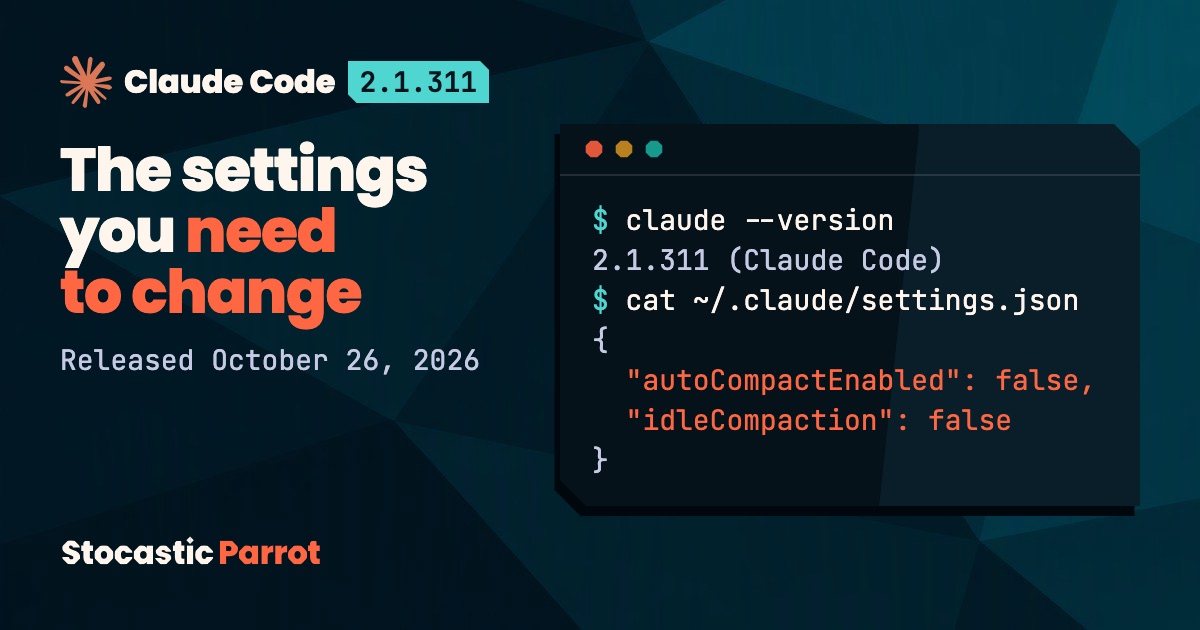
Check your version
You need 2.1.311 or later. Open your terminal and run:
claude --versionIf the number is lower, update Claude Code first.
Open the settings file
Claude Code’s settings live in ~/.claude/settings.json. Open it with any editor you like; if it doesn’t exist, create it.
Add the two keys
Let’s get to the point. Here are the two lines:
{
  "autoCompactEnabled": false,
  "idleCompaction": false
}
With "autoCompactEnabled": false, Claude Code no longer compacts on its own when the context goes over the threshold. With "idleCompaction": false, it also stops compacting a long session you’ve left idle, something it can otherwise do shortly before the one-hour cache expires.
If the file already has other settings, add only these two lines inside the curly braces, separated from the others by a comma (JSON is picky).
Run compaction yourself when you need to
Without auto-compaction, what happens when the window is full? The session stops, so you run compaction yourself, at the end of a task. With /compact you can also tell it what to focus on:
/compact focus on the auth bug fixIf you’d rather keep auto-compaction on. Do you work with the 1-million-token window? Lower the threshold with /autocompact: by default it is set at about 967,000 tokens, and the LangWatch analysis (873 compactions by a single developer) points to a threshold between 250,000 and 450,000 tokens.
/autocompact 450kI update my HANDOFF.md at the end of a task and close the session with a /clear.
Do it your way: now you decide when.
Sources
- Anthropic, Claude Code documentation: settings and context window.
- R. Chaves, “The Context Tax: When to Compact Your Coding Agent”, LangWatch, August 2, 2026.
- Claude Code changelog, version 2.1.311, released October 26, 2026.
The why
“Auto-compaction is a colossal piece of crap” explains why it works this way.
I try the next tutorial first, you get it on Monday
Every Monday morning: a new tutorial to try (one I’ve already tested myself) and the week in AI, filtered, with sources.
Prefer Telegram? I’ll tell you there, in Italian, as soon as a new tutorial is out.
Notify me on Telegram