Tools
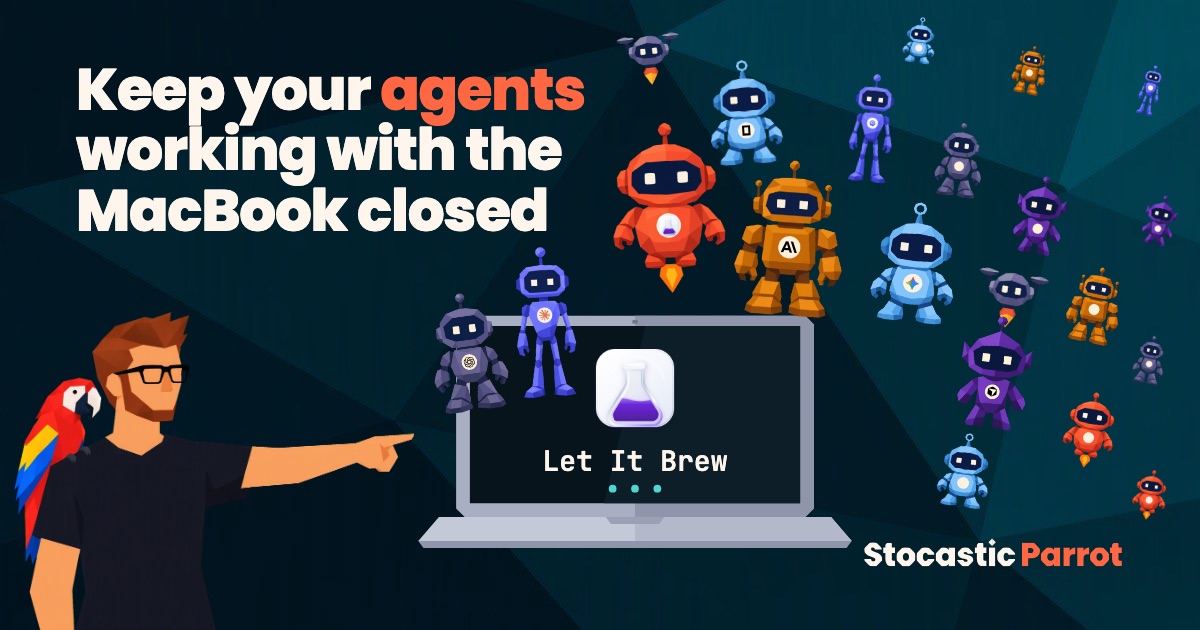
Keep your agents working with the MacBook closed
Close the lid and your Mac goes to sleep, with your agent inside: I’ll show you how to get the most out of Claude Code, Codex, and the other agents even when you’re away from your desk, with Let It Brew, and how it compares with Amphetamine, Caffeine, and the other apps
Danilo Giudice · November 10, 2026
Ask an AI
- Type
- Hands-on: what works and what doesn’t
- Time
- 6 min read
- Level
- Beginner
- What you’ll get
- How to keep agents working with the MacBook closed
- Which app to pick out of seven
- What it asks in return and how to test it
Contents · 5 sections
Has this ever happened to you? You start Claude Code or Codex on a long task, close your MacBook to go to dinner, and when you open it again the agent is stuck halfway: the Mac went to sleep, and the agent with it.
It’s not a feeling, it’s how macOS behaves: closing the lid puts the Mac to sleep. The old anti-sleep apps can’t do anything about it. KeepingYouAwake says so in its README: it prevents sleep only with the lid open. Let It Brew explains in its documentation that the regular macOS lock against sleep, the one those apps use, is ignored once the lid is closed. And caffeinate, the command already on your Mac, has a stronger lock (-s) that, according to its manual, only works while the charger is plugged in.
The spoiler: if you make it to the end, you’ll know how to keep your Mac awake only while your agent works, which of seven apps to pick, and what it asks in return: a service with system permissions and a few lines in your agents’ settings.
I’m biased, I’ll say it upfront: I use Claude Code every day and I’ve run plenty of tests. Let It Brew is the best compromise I’ve found: it follows your agents, works with the lid closed, and has protection against the Mac overheating. The cells in the table below, though, come from documentation, public code, and competitors’ pages, read on November 10, 2026. Where I write “claims,” the maker says so and I haven’t measured it.
What Let It Brew does#
Let It Brew is a macOS menu bar app, free and open source (Apache 2.0 license), for macOS 14 or later, on Apple silicon and Intel. It does one thing: it keeps the Mac awake while a coding agent works, and lets it sleep when the agent stops.
How does it know? With hooks. A hook is a command the agent runs by itself at certain moments, for example when it starts or finishes a job. Let It Brew uses hooks as local signals of “I’m working” and “I’m done,” which come from every session.
How it works
The Mac stays awake only while agents work
The agent tells Let It Brew when it starts and finishes.
Agent starts
a hook signals it
Close the lid
Mac sleep is blocked
Agent finishes
a hook signals it
Mac sleeps
settings restored
Source: Let It Brew documentation, 2026

The Mac stays awake only while agents work. The agent tells Let It Brew when it starts and finishes. 1. Agent starts (a hook signals it), then “stays awake”; 2. Close the lid (Mac sleep is blocked), then “work continues”; 3. Agent finishes (a hook signals it), then “can sleep”; 4. Mac sleeps (settings restored). Source: Let It Brew documentation, 2026.
The features, one by one:
- It follows your agents. Claude Code, Codex, OpenCode, GitHub Copilot CLI, Pi, Cursor, Gemini CLI, Qwen Code, and Kimi Code. It only sees local sessions, not remote, cloud, or SSH ones.
- Lid closed. With the lid open it uses the regular macOS lock. With the lid closed, a service with system permissions changes the sleep setting with
pmset disablesleep, a macOS command, and puts the Mac in Low Power Mode. Then it restores the previous values, even after a crash or a restart. - It stops by itself. When all sessions finish, it releases the lock, and with several sessions it stays awake until the last one is done. A session that never says it has finished expires after 12 hours.
- Power rules. You can make it work only on the charger, or stop it below a battery level you choose. The screens can turn off on their own.
- Heat protection. If the Mac heats up to a “serious” or “critical” level, Let It Brew releases the lock and lets it sleep.
- Menu bar. It shows the status of your agents and has a pause button.
- All local. No account, cloud, telemetry, or notifications. Once a day it checks GitHub for a new version, and it downloads nothing without asking.
How to set it up and test it#
- Download the DMG from letitbrew.app and drag the app into
/Applications: from any other folder, the service for the closed lid won’t start. - Approve the background service when it asks. If you decline, it still works, but only with the lid open.
- In Settings, in the Agents section, turn on the ones you use: at first they’re all off. With Codex, also run
/hooksand trust Let It Brew’s entries; with Pi you need/reload. Sessions that are already open need to be restarted. - Choose the power rules: charger only, and the battery level.
- Test it before you trust it. Ask your agent to run
for i in $(seq 10); do date >> test.txt; sleep 60; done, close the lid, reopen it after ten minutes, and check whether any minutes are missing from the file.
The other apps, compared#
The table on Let It Brew’s page compares only Caffeine and Amphetamine, and it’s written by the people who make the app. I added the newer apps built for agents and checked each cell against the maker’s page or README.
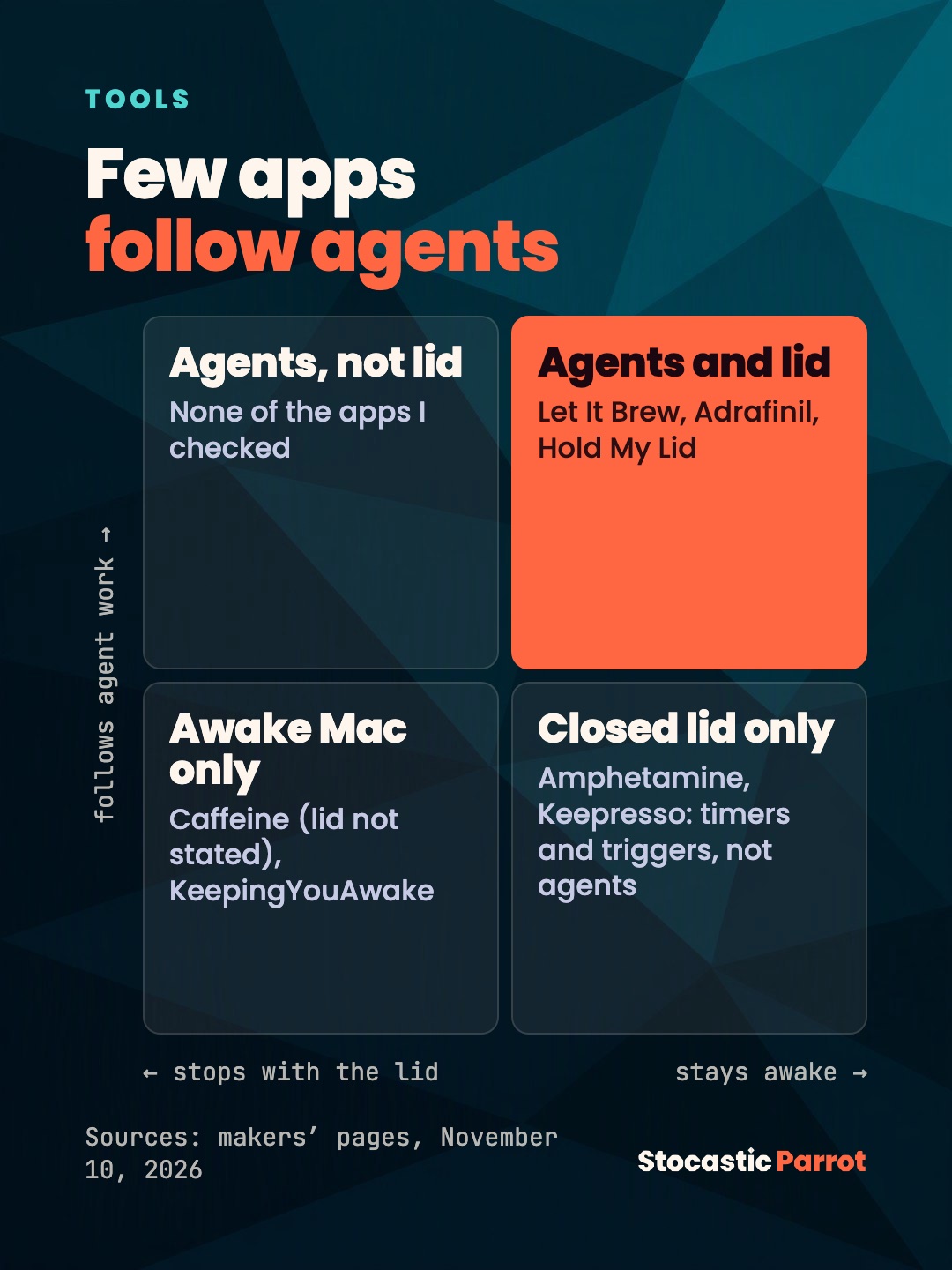
As of November 10, 2026 (“claims” means the maker says so; for Hold My Lid it applies to the whole row):
| App | Follows agents | Lid closed |
|---|---|---|
| Let It Brew | yes, 9 agents via hooks | claims yes, even on battery |
| Adrafinil | yes, 10 agents via hooks | claims yes, on battery and with no external display |
| Hold My Lid | yes, via hooks | claims yes, no details |
| Keepresso | no, triggers only | claims yes, even on battery |
| Amphetamine | no, timers and triggers | yes; on Apple silicon it needs a script and admin |
| Caffeine | no | doesn’t say |
| KeepingYouAwake | no | no, the README rules it out |
All of them are free, except Hold My Lid, which has a paid one-time license according to AlternativeTo. The code is open for Let It Brew (Apache 2.0), Adrafinil, Caffeine, and KeepingYouAwake (MIT), and for Keepresso (GPL-3.0). I didn’t find enough on Napless and Noctis to put them in the table.
One cell doesn’t add up: Let It Brew’s table gives Amphetamine a “No” for the closed lid without a charger. Amphetamine’s page says something else: you don’t need the charger to start, but on Apple silicon the closed-display mode needs a script and the administrator password, otherwise the session can fail when you plug in or unplug the power. The latest version, 5.3.2, is from 2023. I don’t know who’s right in practice, because I haven’t measured either one.
Which one should you pick? If you use agents and want a free app, pick Let It Brew: it’s the only one I checked that claims both agent hooks and closed-lid support, and it already runs on macOS 14. Adrafinil does the same and also supports Hermes, Aider, and Cline, which Let It Brew doesn’t (Hermes is an open request), but it needs macOS 26.4 or later. For macOS 15, its README points to a third-party port, which I haven’t looked at. For general timers and triggers, there’s Amphetamine. If you only need the screen to stay on with the lid open, Caffeine and KeepingYouAwake will do.
The limits#
- It’s young. Version 1.0.0, 18 stars on GitHub, and 7 open issues on November 10, 2026. Adrafinil, by comparison, has 527 stars. The release notes have no dates, so I don’t know how long it has existed.
- It asks for real permissions. The service runs with system privileges and writes hooks into your agents’ configuration files (for Claude Code,
~/.claude/settings.json), but only after you turn on that agent’s switch: its documentation says so. I haven’t read the code line by line. Open it, or have your agent read it, before you give it permissions. - It doesn’t see everything. Remote, cloud, and SSH sessions are out. Codex and Cursor can’t tell a manual approval from an automatic one, so while they wait for your OK, they keep the Mac awake.
- Closed lid on battery is still a claim. For Let It Brew, Adrafinil, and Keepresso, the maker says so, and one lone comment on Adrafinil’s launch post says it never worked for them. That’s why the test in step 5 is there.
- The Mac gets hot. A Mac closed inside a backpack with an agent at work has no air around it. Let It Brew releases the lock at a “serious or critical” heat level, but I wouldn’t put that to the test: keep the Mac out of the backpack, on a hard surface. That’s my own advice, with no source.
The moral#
So? The moral? Your agent should keep working as long as it has work to do, not as long as the lid stays open. The end.
I’ll repeat the rest of the week for you, parrot-fashion
I keep up with AI, so on Monday morning you know what to try and what to ignore, with sources you can check.
Prefer Telegram? News and tutorials go up there, in Italian, as soon as they come out.
Notify me on Telegram
Sources
Almost all of them are the makers’ own pages: marketing, not measurements. Facts checked on November 10, 2026; versions and prices change.
- Let It Brew: home, page for agents, comparison with Caffeine and Amphetamine and, in the repository,
docs/ARCHITECTURE.md,docs/AGENT-HOOK-CONTRACTS.md,RELEASE-NOTES.md,docs/PRIVACY.md, and the issues. - Adrafinil: repository and Show HN.
- Hold My Lid: Product Hunt and AlternativeTo.
- Keepresso: repository and listing on Hunted.
- Amphetamine: App Store page.
- Caffeine: caffeine-app.net.
- KeepingYouAwake: README.
- Apple,
caffeinatemanual:man caffeinate, macOS 27.2.